The best websites to practice Excel for free (2026)
Nine websites to practice Excel, checked one by one: which ones check your formula in the browser, which ones are files you do in your own Excel, and what each gives you for free.
Facts checked by hand on November 12, 2026
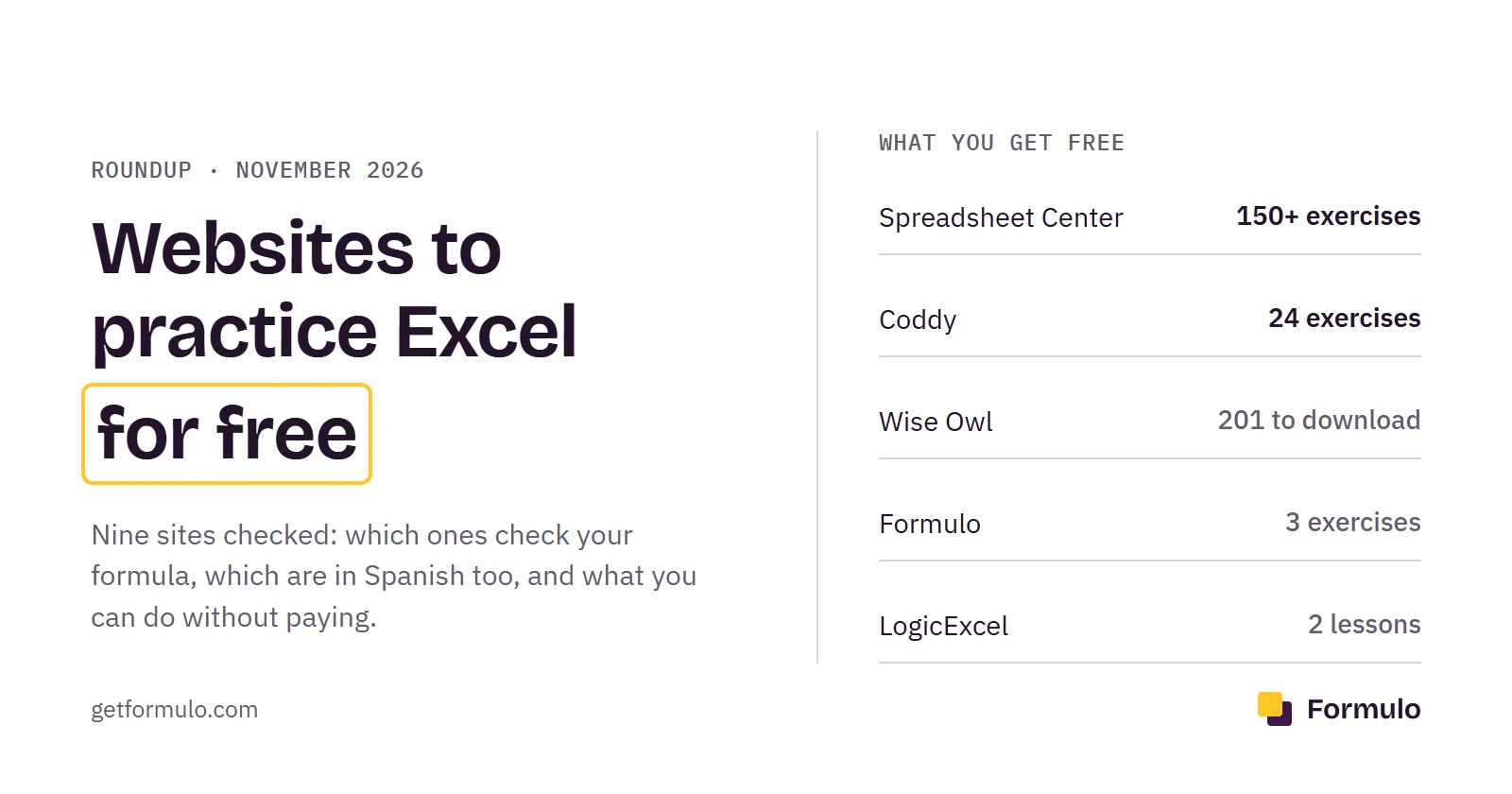
For the most free practice that checks your formula, with no account: Spreadsheet Center (150+ exercises) and Coddy (24). For a structured course with checking: LogicExcel or Formulo, both paid after a free start. For files to do in your own Excel: Wise Owl, with 201 free Excel exercises.
On this page
Search "website to practice Excel for free" and you get two kinds of result mixed together. Some are exercises in the browser: you type the formula into a sheet and the site tells you if it's right. The others are files or PDFs with tasks you do in your own Excel, and then you compare with the answer yourself. Both are useful, but not for the same thing, and almost no list separates them.
I went through nine sites on November 12, 2026. I opened each one and wrote down what is really free, whether it checks your formula and how much there is. Formulo is ours, and it goes first because it's the one I know from the inside. On free practice, though, two other sites beat it clearly, and I'll say where.
The short version#
The column that matters most is the third. Six of the nine check your work in the browser; the rest give you material to do in your own Excel and check yourself.
| Site | What it is | Checks your formula | Language | What's free |
|---|---|---|---|---|
| Formulo | Exercises in a real sheet | Yes, instantly | English and Spanish | 3 exercises, no account |
| Spreadsheet Center | Exercises in a sheet in the browser | Yes | English | 150+, no account |
| Coddy | Formula exercises in the browser | Yes | English and Spanish | 24 exercises, no account |
| LogicExcel | Lessons and exercises in the browser | Yes | English, Spanish and more | First 2 lessons, with an account |
| Excel Exercises | Short interactive lessons | Within the lessons | English | The start of the course |
| Excel Practice Online | Exercises and practice tests | Tests come with answers | English | Exercises and tests |
| Wise Owl | Exercises to download | No | English | All of it (201 for Excel) |
| Excel Exercice | Online exercises and quizzes | Yes | Spanish and French | Exercises, some quizzes |
| Profe Beto | Practice sets for your own Excel | No | Spanish | All of it (22 sets) |
Figures from each site on November 12, 2026. Prices change by country and over time, so check yours on each site before you pay for anything.
How I compared them#
I looked at four things, in this order. First, whether it checks your work: a site that only shows you the solution is fine for review, but it won't tell you when your formula hits the right number by luck. Second, what you can do without paying or signing up. Third, how much practice there is before you run out. And fourth, whether anything is timed, because the Excel test in a job interview nearly always is.
I didn't finish every course or try the other sites' paid plans. If something has changed since the date above, tell us and we'll fix it.
Practice in the browser, with checking#
1. Formulo#
Formulo is a website for practicing Excel: exercises in a real spreadsheet that check your formula instantly, with timed mock exams for job interviews and Excel skills tests. There are no videos or long lessons. Each exercise is an office task: look up a product's price, mark who passed, add up one region's sales.
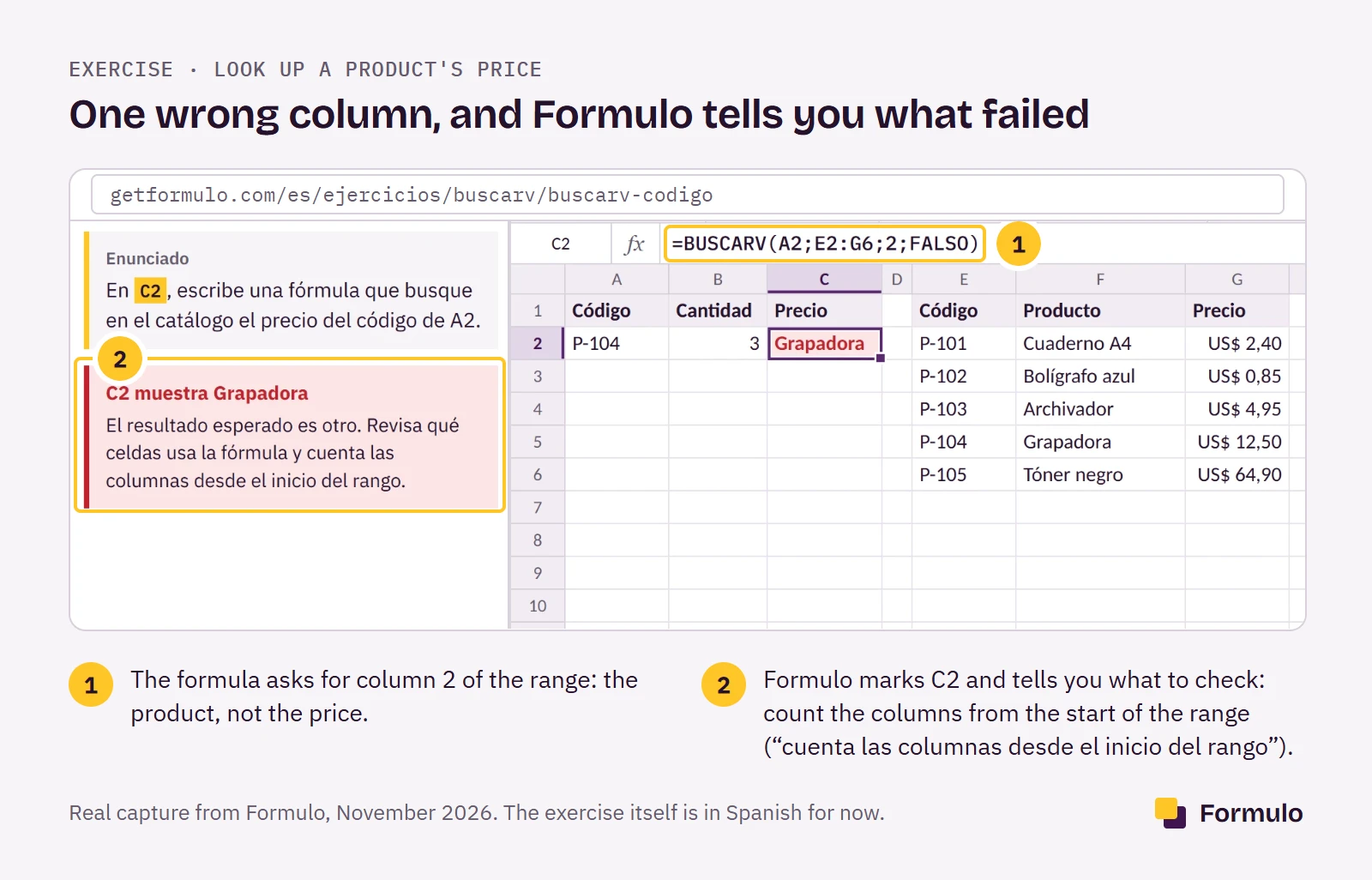
What sets it apart from most of this list is how it checks. You type the formula, press Check, and Formulo tests it on your data and on a second copy of the table with different values. If you typed the result by hand, or your formula only works on those numbers, it doesn't pass. And when it fails, it tells you what went wrong ("count the columns from the start of the range"), not a flat "incorrect".
There are 121 exercises in 10 topics, from first formulas to VLOOKUP, IF, SUMIF, XLOOKUP, text, dates and rounding. The same course exists in Spanish with the Spanish function names, which is rare and useful if you work for a company in Latin America or Spain. Timed mock exams are live on the Spanish side; the English ones aren't out yet.
What it doesn't have: pivot tables, charts or macros. It's formulas, and if you're after the rest, look elsewhere for now. And the free part is small: the first 3 exercises, with no account or card. After that it's $7.99 a month, or $14.99 for 3 months in one payment that doesn't renew (pricing).
Who it's for: someone who wants a structured run through the formulas that come up at work, with feedback on every mistake. If you want to stay free as long as possible, start with the next two.
2. Spreadsheet Center#
If you only care about free, this is the one. Spreadsheet Center has more than 150 exercises in a sheet in your browser, asks for no account and no download, and tells you instantly whether the formula works. It also has 9 guided learning tracks and more than 500 function guides, many with live examples you can edit.
The exercises go past the basics too: XLOOKUP, SUMIFS and SUMPRODUCT, with a set aimed at job interviews for finance, operations and data roles. Prices aren't published on the site.
Who it's for: almost anyone who wants a lot of practice today without paying. It's where I'd send a friend first.
3. Coddy#
Coddy is a coding site with a well-made Excel corner: 24 exercises that check your formula, free, in the browser, with no sign-up. They cover SUM, IF, COUNTIF, VLOOKUP, XLOOKUP and INDEX MATCH. There's also a blank sheet to try anything you like, and a Spanish version.
You open the page and type. What it doesn't have is a path: 24 standalone exercises, no long topics or timed tests, and when you finish them, that's it.
Who it's for: half an hour of practice right now, no account.
4. LogicExcel#
LogicExcel is the closest thing to Formulo on this list, and Google ranks it near the top for good reason. It checks every answer against a real workbook, and it has 95 worked exercises, plus practice sheets to download. Lessons are grouped by skill area and level, and there's a section for job assessment prep. It's also in Spanish and French.
The free part is the first 2 lessons, with a free account. Everything else is in the All-Access plan, billed yearly, with no ads. The price depends on the option you pick; it's on their pricing page. They offer a 14-day refund.
Who it's for: someone who wants an ordered course with checking and doesn't mind a yearly plan. If you only want to try it for an afternoon, the free part runs out quickly.
5. Excel Exercises#
Excel Exercises was built by Jake, who spent years in finance and consulting and made it because videos weren't helping him remember formulas. It's short interactive lessons: keyboard shortcuts, VLOOKUP, pivot tables. It has more than 250,000 registered users. You start free, and if you finish every lesson you get a certificate of completion.
Prices aren't published outside the account. It's one of the few on this list with pivot tables.
Who it's for: a beginner who likes going step by step through guided lessons.
Practice tests#
6. Excel Practice Online#
Excel Practice Online has free exercises in the browser, practice data, and a tests section: exams with answers, a self-assessment and an Excel assessment test. All of it is free, with no files to download.
It's the best of the nine for seeing what an Excel test looks like from the inside before the real one. If you have an interview coming up, pair it with something that checks your formulas as you go.
Who it's for: someone with an Excel test at a job interview.
Files to do in your own Excel#
These don't check your work. They give you the task and you do it in your own copy of Excel. That has one advantage the browser can't match: you practice in the program you'll use at work, with all its menus and shortcuts. The downside is that nobody tells you whether your formula is right until you compare it with the answer.
7. Wise Owl#
Wise Owl is a UK training company that gives its exercises away. It has 201 Excel exercises to download, plus skills assessment tests. All they ask is a donation from those who can afford one.
It's a lot of material, well ordered by topic, and meant to be done in your own Excel.
Who it's for: someone with Excel installed who wants long, free practice.
If you also work in Spanish#
8. Excel Exercice#
Excel Exercice is the Spanish site of Frédéric Le Guen, a Microsoft MVP from 2010 to 2025. It has more than 100 exercises you do in the browser, with the answers at the end, across 7 topics. The formulas use the Spanish function names (=MÁX, not =MAX). Some quizzes are free; Premium unlocks all quizzes and certificates.
9. Profe Beto#
Profe Beto is a teacher's blog with 22 numbered practice sets in Spanish: VAT, percentages, absolute references, invoices, commissions, SUMAR.SI (SUMIF), BUSCARV (VLOOKUP), and one pivot table. All free, to do in your own Excel, with no checking.
Which one should you pick?#
There's no single best one. It depends on whether you want free, structured, timed, or something for your own copy of Excel:
| Your situation | Pick | Why |
|---|---|---|
| I want to practice today, free, no account | Spreadsheet Center or Coddy | 150+ and 24 exercises that check your formula |
| I have an Excel test at an interview | Excel Practice Online, then Formulo or Spreadsheet Center | See the test format, then practice the formulas |
| I want a structured course with checking | LogicExcel or Formulo | Topics in order, every answer checked |
| I want files to do in my own Excel | Wise Owl | 201 free exercises |
| I'm a complete beginner | Excel Exercises | Short guided lessons |
| I need pivot tables | Excel Exercises | Most others don't cover them |
| My job uses Excel in Spanish | Formulo or Excel Exercice | Spanish function names |
Browser or your own Excel?#
Both, in that order. Instant checking in the browser teaches you fastest: you see the mistake when you make it, not half an hour later with the answer key open. Once VLOOKUP comes out without thinking, move to your own Excel with Wise Owl's files and practice with the whole program and its shortcuts.
If you have an Excel test for a job, add one step: do at least one set against a clock. Knowing a formula and typing it in three minutes with someone waiting are two different things.
Is Formulo for you?#
We're biased, of course. Formulo fits if you want a structured path through the formulas offices actually use, if you want to know why a formula fails and not only that it does, or if you work with Excel in both English and Spanish. If you want everything free, start with Spreadsheet Center or Coddy.
Try the 3 free exercises, no account needed.
Sources: each site's own pages, with figures from November 12, 2026: Spreadsheet Center, Coddy, LogicExcel and its pricing, Excel Exercises, Excel Practice Online, Wise Owl, Excel Exercice and Profe Beto. Formulo's figures come from the site itself. If one has changed, tell us and we'll fix it.
Frequently asked questions
- 01What is the best free website to practice Excel?
- Spreadsheet Center, if you want the most free exercises: more than 150 that check your formula in the browser, with no account. Coddy is a good second, with 24 free exercises and no sign-up.
- 02Where can I practice Excel online without installing it?
- Formulo, LogicExcel, Coddy, Spreadsheet Center and Excel Practice Online all open a sheet in the browser. You don't need Excel installed or any files.
- 03Where can I download free Excel practice exercises?
- Wise Owl has 201 free Excel exercises to download, plus skills assessment tests. In Spanish, Profe Beto has 22 free practice sets.
- 04How can I practice for an Excel test at a job interview?
- Do exercises against a clock, not only reading. Excel Practice Online has practice tests with answers, and Spreadsheet Center has exercises aimed at interviews.
- 05Is Formulo free?
- The first 3 exercises are free with no account. The full course of 121 exercises costs $7.99 a month, or $14.99 for 3 months in one payment that doesn't renew.
- 06Can I practice Excel on my phone?
- Yes, on any of the sites that open a sheet in the browser. For long formulas a keyboard helps.
- 07Which Excel practice sites cover pivot tables?
- Few of the interactive ones do. Excel Exercises includes pivot tables in its lessons. Formulo is formulas only for now.
- 08Can I practice Excel with ChatGPT?
- It can give you exercises and explain a formula, but it can't see your sheet. A site that checks your answer compares your result with the right one on real data.
- 09Is there a site to practice Excel in Spanish?
- Yes. Formulo has the same course in Spanish with Spanish function names (BUSCARV, SI). LogicExcel, Coddy and Excel Exercice also have Spanish versions.
Do you work at one of these sites and something is off? Write to us and we'll fix it within 48 hours.
Practice your first formula now
No sign-up. It takes less than two minutes.